Introduction
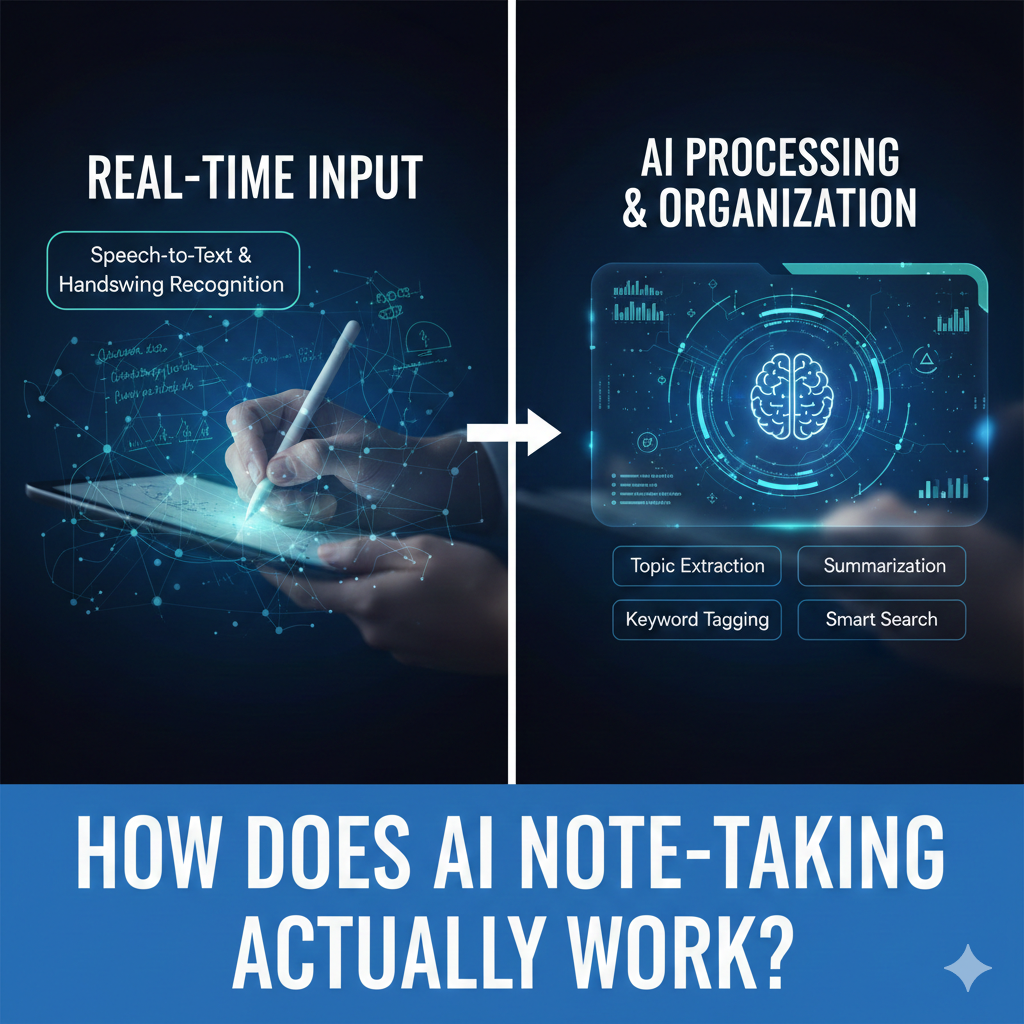
AI note taking works by turning your raw input—text, voice, or files—into structured, searchable notes using language models, not human understanding. As AI note apps become part of daily work and study, many people trust them without knowing what happens behind the scenes. That trust can be risky. When you understand how AI note taking actually works, you know when to rely on it, when to double-check, and how to get better results. This article explains the full process in plain language, highlights common misconceptions, and shows how to use AI notes safely and effectively in real life.
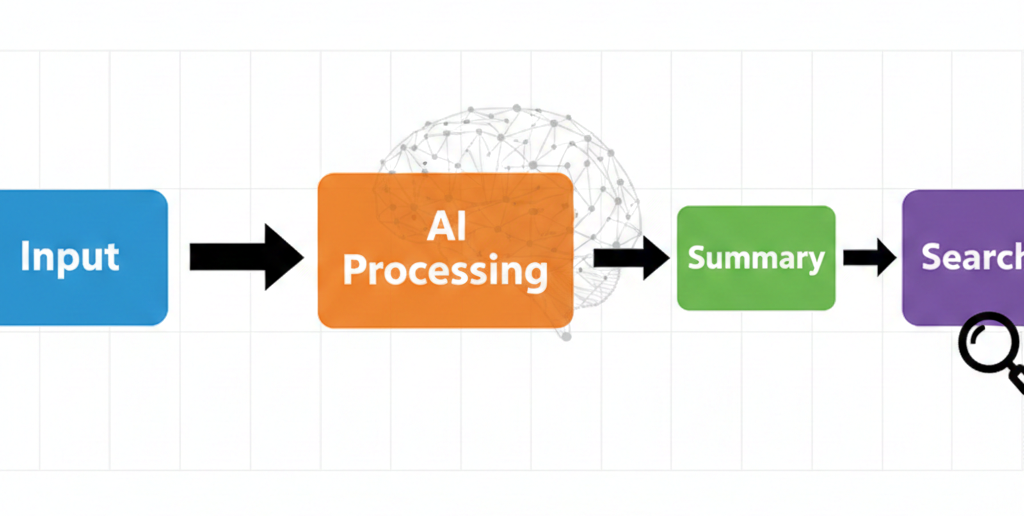
Step 1: How AI captures your notes
AI note taking starts with input capture, which can include:
- Typed text
- Imported documents (PDFs, docs, slides)
- Voice recordings or meeting audio
For voice notes, the first layer is speech-to-text transcription. Accuracy here depends on:
- Audio quality
- Speaker clarity
- Accents and background noise
If transcription is wrong, everything downstream inherits the error.
Step 2: How AI “understands” your notes (and what it really does)
Despite how it feels, AI does not understand meaning like a human. Instead, it:
- Identifies patterns in language
- Predicts which words usually follow others
- Detects topic similarity based on probability
This is why AI notes can sound confident while being incomplete. It’s matching patterns, not verifying truth.
Step 3: Summarization — where most mistakes happen
When AI creates summaries, it performs compression, not reasoning.
It decides:
- What looks important
- What can be shortened
- What can be removed
Common problem
AI often removes:
- Conditions (“only if…”)
- Uncertainty (“likely,” “tentative”)
- Minority opinions
This is why summaries can subtly change meaning.
Step 4: Organization, tags, and links
Most AI note apps auto-generate:
- Headings
- Tags
- Linked notes
This feels helpful—but over time it can cause tag sprawl and duplicate concepts. Without human curation, organization degrades instead of improving.
Step 5: Search and recall
AI-powered search usually combines:
- Keyword matching
- Semantic similarity
- Recency weighting
That means newer notes often surface first—even when older notes are more relevant. This surprises many users weeks later.
Common mistakes users make (and fixes)
Mistake 1: Treating AI summaries as final
Fix: Treat summaries as drafts. Edit them once—your edits often improve future output.
Mistake 2: Feeding messy input and expecting clean output
Fix: Break long notes into sections before summarizing.
Mistake 3: Assuming AI remembers everything
Fix: Pin or mark “source of truth” notes manually.
Information Gain — why AI notes feel smart but forget context
Top SERP articles rarely explain context decay. AI processes notes in chunks. Older notes slowly lose influence unless they’re revisited or linked. Counter-intuitive insight: reopening and lightly editing important notes keeps them “alive” in AI systems, improving future summaries and recall.
Practical insight from experience: when human review is non-negotiable
From real usage, human review is essential when notes include:
- Decisions
- Numbers
- Names
- Exam-relevant definitions
- Legal or sensitive topics
AI is excellent at structure, weak at responsibility.
A simple mental model for AI note taking
Think of AI notes as a junior assistant:
| Task | AI role | Human role |
| Capture | Fast | Minimal |
| Structure | Helpful | Review |
| Summarize | Draft | Verify |
| Decide | Poor | Essential |
This mindset prevents over-trust.
[Expert Warning]
AI note systems can hallucinate details that sound correct. Confidence ≠ accuracy.
[Pro-Tip]
If a summary feels too clean, check it. That’s where nuance usually disappeared.
[Money-Saving Recommendation]
You don’t need premium AI for understanding—upgrade only when recall speed or storage becomes limiting.
(Natural transition) When comparing AI note-taking tools, prioritize those that let you edit summaries, control automation, and preserve context over time.
How to improve AI note accuracy in practice
- Clean audio before transcription
- Use section headers before summarizing
- Edit summaries once
- Pin authoritative notes
- Periodically merge duplicates
These steps improve results more than switching tools.
FAQs
Does AI actually understand my notes?
No. It predicts language patterns; it doesn’t reason like humans.
Why do AI summaries change meaning?
Because compression removes qualifiers and context.
Can AI notes replace manual notes?
No. They support organization, not judgment.
Why can’t AI find old notes sometimes?
Recency bias and chunk limits affect recall.
How accurate is AI transcription?
High in clean audio, much lower in noisy environments.
internal link:
Embedded YouTube (contextual)
- Plain-English AI explanation: https://www.youtube.com/watch?v=aircAruvnKk
- Speech-to-text overview: https://www.youtube.com/watch?v=I0dV3fQz2H0
Conclusion
AI note taking works best when you understand its limits. It captures fast, structures well, and summarizes efficiently—but it doesn’t think, judge, or verify. When you treat AI notes as drafts and stay involved in decisions and learning, the technology becomes a reliable assistant instead of a hidden risk.