Introduction
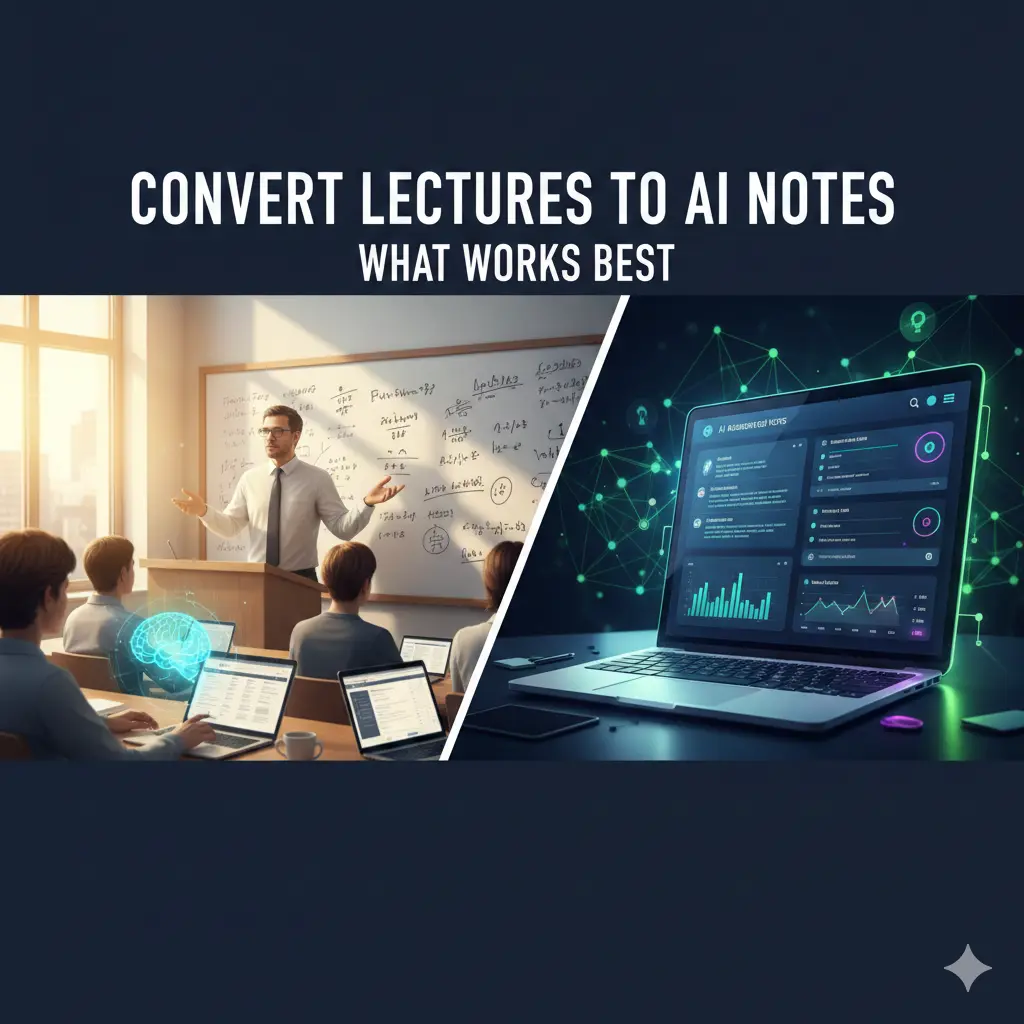
AI Notes Learning is the key to converting lectures into clear, actionable study material that improves comprehension and recall.
Converting lectures to AI notes works best when you treat AI as a processor, not a replacement for listening and thinking. With recorded lectures, hybrid classes, and fast-paced syllabi, many students now rely on AI to turn hours of audio into clean notes. Sometimes this works brilliantly. Other times, students end up with polished summaries that feel clear—but don’t translate into real understanding or exam performance. This guide explains how to convert lectures into AI notes that are accurate, usable, and study-friendly, based on what actually works in real classrooms.
How lecture-to-AI Notes Learning conversion actually works
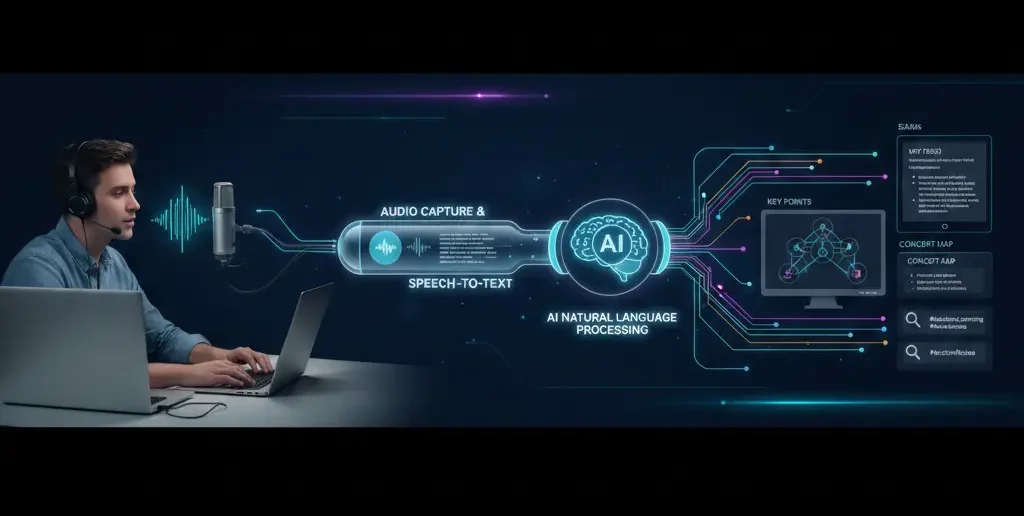
Before improving results, it helps to understand the pipeline:
Lecture recording (audio or video)
Speech-to-text transcription
Cleanup (punctuation, paragraphing)
Summarization and structuring
Search and retrieval
Most problems happen in steps 1 and 4—not in the AI model itself.
What makes lecture recordings AI-friendly
The quality of AI notes depends heavily on the input.
Clear audio matters more than AI Notes Learning quality
From practical use, improvements in audio quality often matter more than switching tools.
Best conditions include:
Lecturer near a microphone
Minimal background chatter
Stable playback speed (1x–1.25x works best)
If the recording is poor, even the best AI will struggle.
Where AI Notes Learning excels when converting lectures
Used correctly, AI is especially good at:
1. Capturing completeness
AI doesn’t miss slides, side comments, or examples—humans do.
2. Creating structure from long sessions
Headings, subtopics, and bullet points make 90-minute lectures navigable.
3. Cross-lecture organization
AI can group recurring concepts across multiple classes—something students rarely do manually.
These strengths make AI excellent for reference notes, not final learning notes.
Where AI Notes Learning lecture notes often fail
Problems appear when students expect AI to do the learning.
Loss of emphasis
AI doesn’t know which points the lecturer stressed for exams.
Flattened examples
Stories, analogies, and warnings often get shortened or removed.
Over-confident summaries
Tentative explanations can be rewritten as definitive facts.
Common Mistakes in AI Notes Learning and How to Avoid Them
Mistake 1: Uploading lectures without listening
Fix: Attend or skim the lecture first so you recognize what matters.
Mistake 2: Letting AI decide importance
Fix: Mark key moments manually before summarizing.
Mistake 3: Studying only from AI summaries
Fix: Use AI summaries as outlines, then rewrite core ideas yourself.
Information Gain — why timestamps outperform summaries
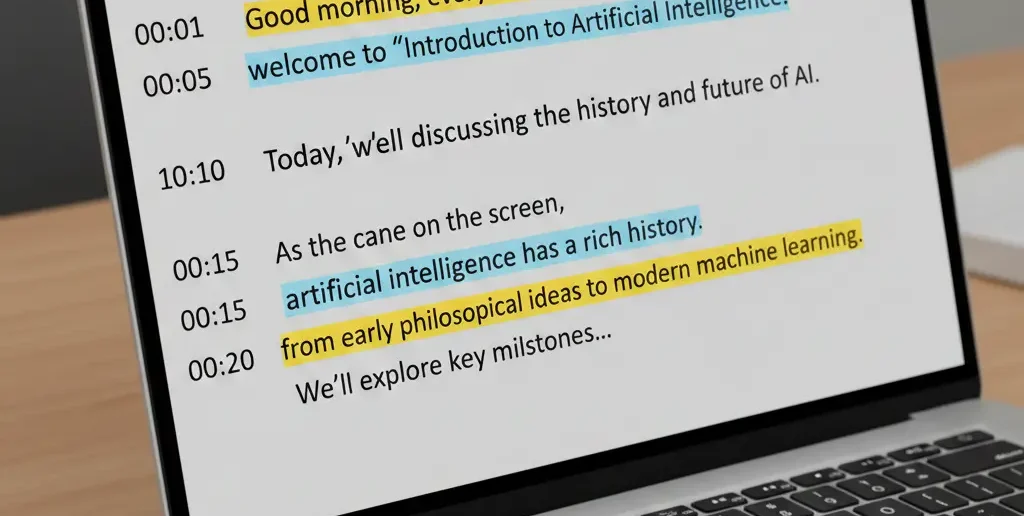
Most SERP guides focus on summarization quality. What they miss: timestamps are often more valuable than summaries. Counter-intuitive insight: students who use AI to generate timestamped outlines and then revisit key moments learn more than those who rely on summaries alone. Timestamps preserve context and emphasis—two things summaries often lose.
Beginner mistake most people make with AI Notes Learning lecture notes
Trying to create “perfect notes” immediately.
In practice, students who delay perfection—using rough AI notes first, then refining closer to exams—retain more and feel less overwhelmed.
A lecture-to-AI Notes Learning workflow that actually works
This workflow balances speed and understanding:
| Stage | Student Action | AI Role |
| Before lecture | Preview slides | None |
| During lecture | Listen & mark moments | Optional recording |
| After lecture | Upload recording | Transcribe |
| Same day | Skim transcript | Highlight key parts |
| Later | Generate summary | Structure & review |
AI supports each stage without replacing engagement.
[Expert Warning]
AI lecture notes can sound complete while missing exam cues. Always align notes with syllabus and past papers.
[Pro-Tip]
Ask AI to generate questions from the lecture instead of summaries. Questions reveal gaps faster.
[Money-Saving Recommendation]
You don’t need long recording limits—shorter lecture segments convert more accurately and cost less.
(Natural transition) When selecting AI note-taking tools for lectures, prioritize timestamped transcripts and editable summaries over flashy auto-notes.
How to improve accuracy when converting lectures AI Notes Learning
Normalize audio volume
Break long lectures into segments
Generate summaries per segment
Manually label exam-relevant sections
Merge only after review
These steps dramatically reduce errors.
FAQs
Is it okay to skip lectures and rely on AI notes?
No. AI notes work best when you’ve engaged with the lecture first.
Are AI lecture notes accurate?
They’re accurate for content, less so for emphasis and exam relevance.
Should I summarize every lecture with AI?
Only high-density or complex ones—don’t automate everything.
Do AI notes work better for recorded lectures?
Yes. Clean recordings produce far better results.
What’s better: summaries or timestamps?
Timestamps preserve context; summaries help review. Use both.
internal link:
Embedded YouTube (contextual)
How speech-to-text works: https://www.youtube.com/watch?v=I0dV3fQz2H0
Effective lecture note strategies: https://www.youtube.com/watch?v=ukLnPbIffxE
external link:
Conclusion
Converting lectures to AI notes works best when AI handles processing and humans handle judgment. Focus on clean audio, timestamps, and selective summaries—not perfection on day one. When you use AI to preserve context and support recall, lecture notes become clearer, lighter, and far more useful for exams